- Role
- Product Designer
- Worked with
- The CTO and the Product Owner
- Platform
- 3D web configurator, desktop and mobile
- Timeline
- 2024 to 2025, about six months
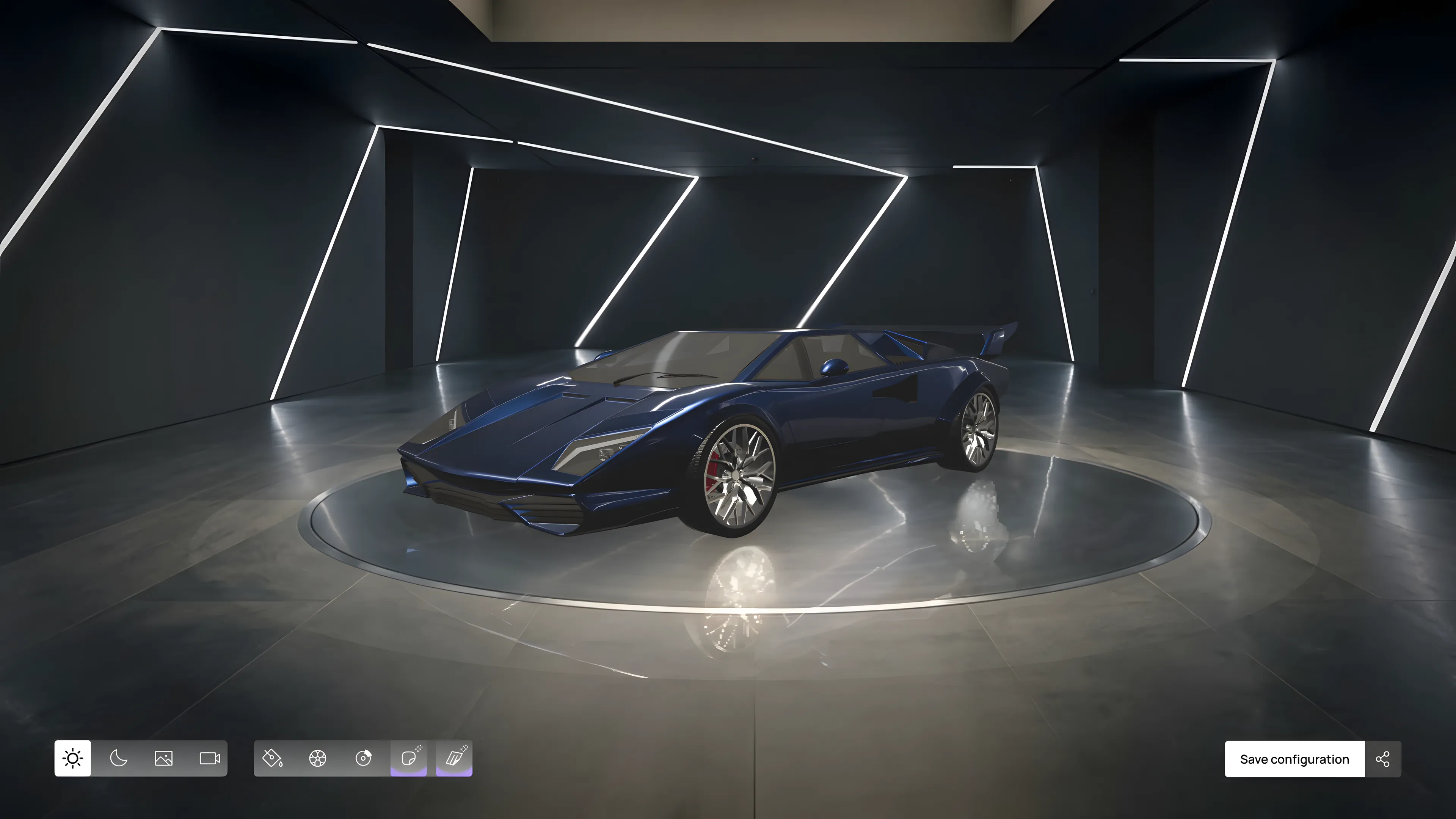
The screens here are recreations with a fictional marque, because the work is confidential. Some of what you see shipped and some of it is how I would design it today.
The business side
The context
A well-known Italian supercar brand was building an ecosystem around its fans and digital ownership, on a platform it says reaches about two million people. The configurator was the front door.
The constraint
Every generation cost money, and there was no paid membership to cover it. One was on the table, and the brand said no. We still wanted to push something unique among online car configurators, so we gave everyone three generations a day.
The goal
Its regular configurator already had plenty of traffic that never turned into sales: people just liked tinkering with the cars. So the plan was to give those fans a configurator of their own, on the gaming and web3 side, with the older models too, and to make it fun with AI, especially for a younger audience.
The first two phases were the foundation. Phase 3 was about delighting the user.
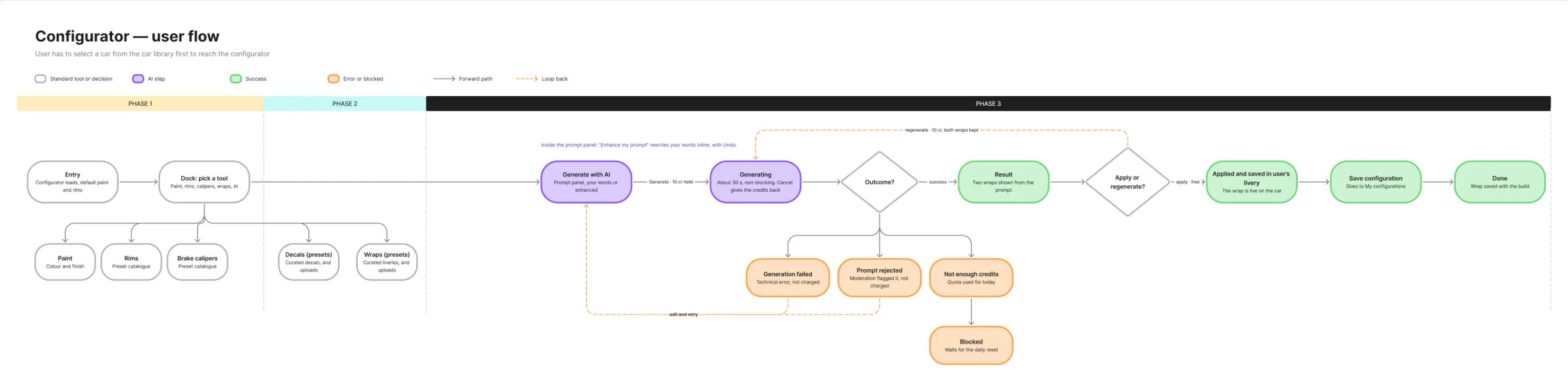
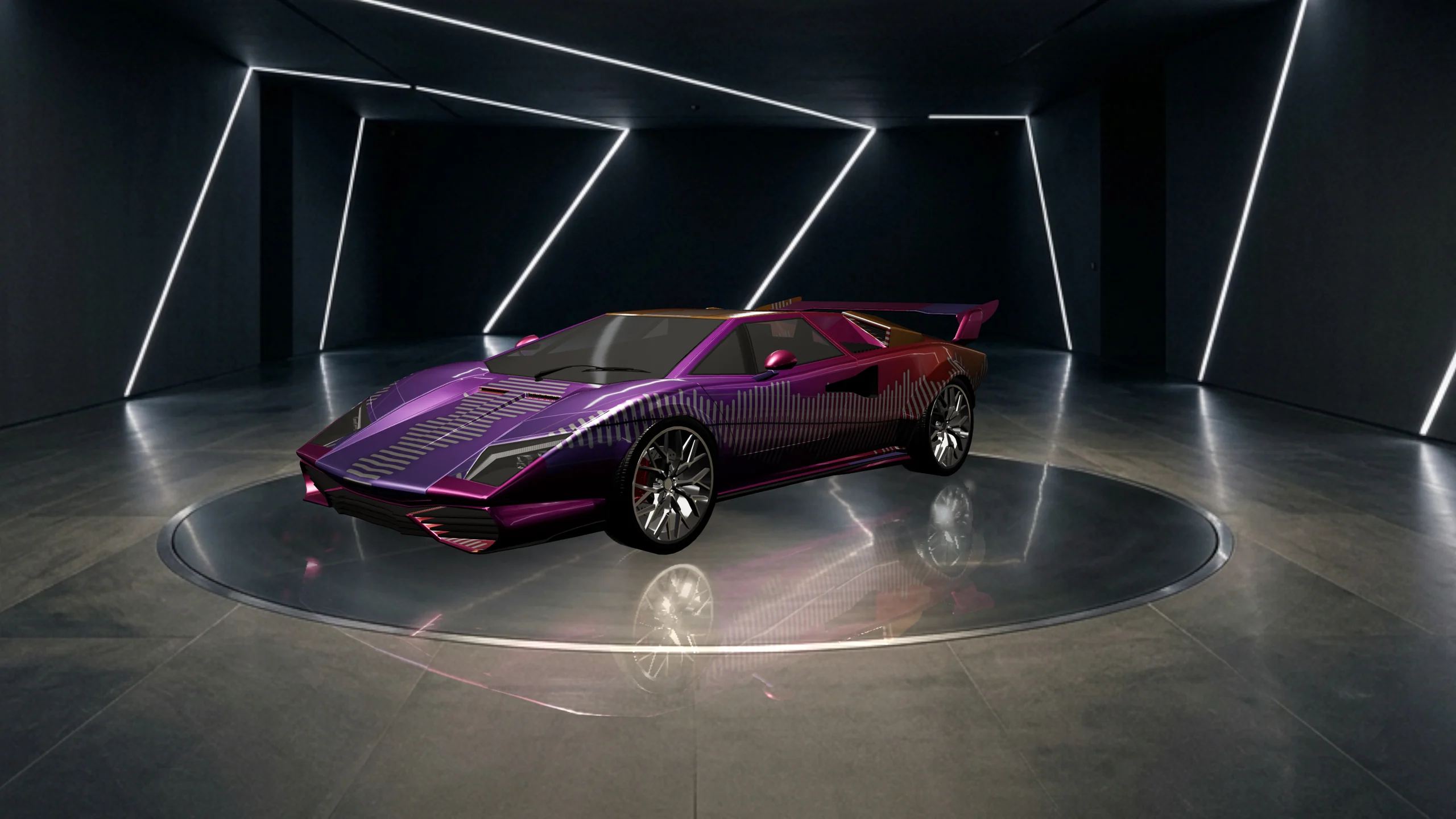
Not everyone can draw, and not everyone has the patience to place decals one by one on a curved bonnet with a thumb. We didn't want the people who can't to be stuck with presets.
The generation itself was the easy part to agree on. What took most of my time was everything around it.
- How do you help people write a good prompt?
- What do they look at while they wait?
- And what happens when things don't go the way they wanted?
The prompt panel is a text box, a button and a line telling you what the tool does. It's plain on purpose.
Three ways of helping
There are a few ways to help. You can give people a starting point, let them pick options instead of typing, or let them write what they have and improve it for them. I tried all three on the car.
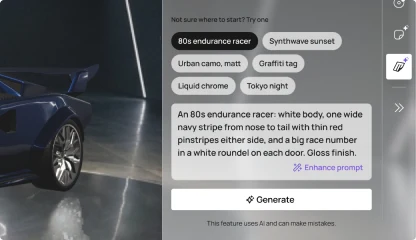
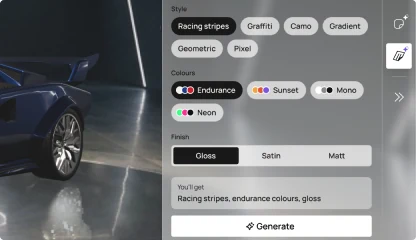
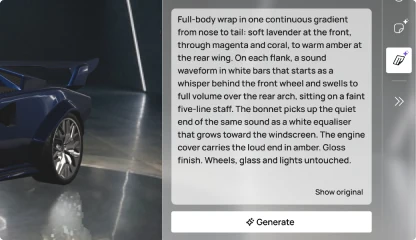
I went with the prompt enhancer. It starts from what the user wrote, and uses motion to show their words turning into a prompt the model can work with.
Where the rewrite appears mattered more to me than whether there is one. With three generations a day, you shouldn't spend one just to find out what the machine made of your words. So the rewrite lands in the box before you press Generate, and you can still change it.
The enhancer has one more job, and I think it matters most: it teaches. It never replaces your words silently. There is always a "Show original" link, so you can compare what you typed with what the machine made of it. That's how people pick up words like rim light, and next time they type them themselves.
A generation takes 20 to 40 seconds, depending partly on your connection. That's long enough to wonder whether anything is happening.
The happy path is easy to show. I spent more time on the cases where it goes wrong, because I think that's where people decide whether to trust the thing.
Keeping unwanted content off bodywork the brand's own studio had approved
I can't go into the rules, but I can say what they meant for the design. Moderation sat in front of every generation and every upload, with AI and hard rules working together. If you feel a refusal is unfair, you can dispute it, and a person reviews it.
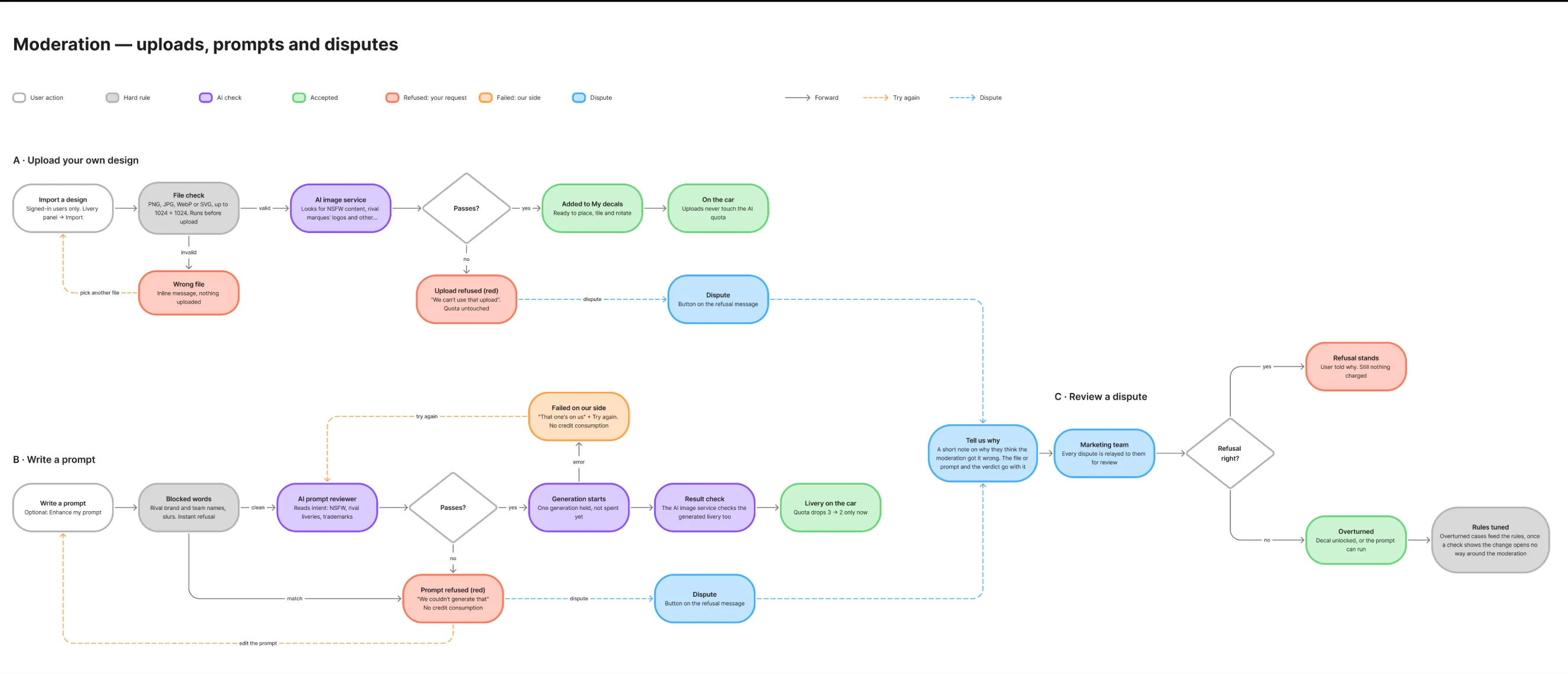
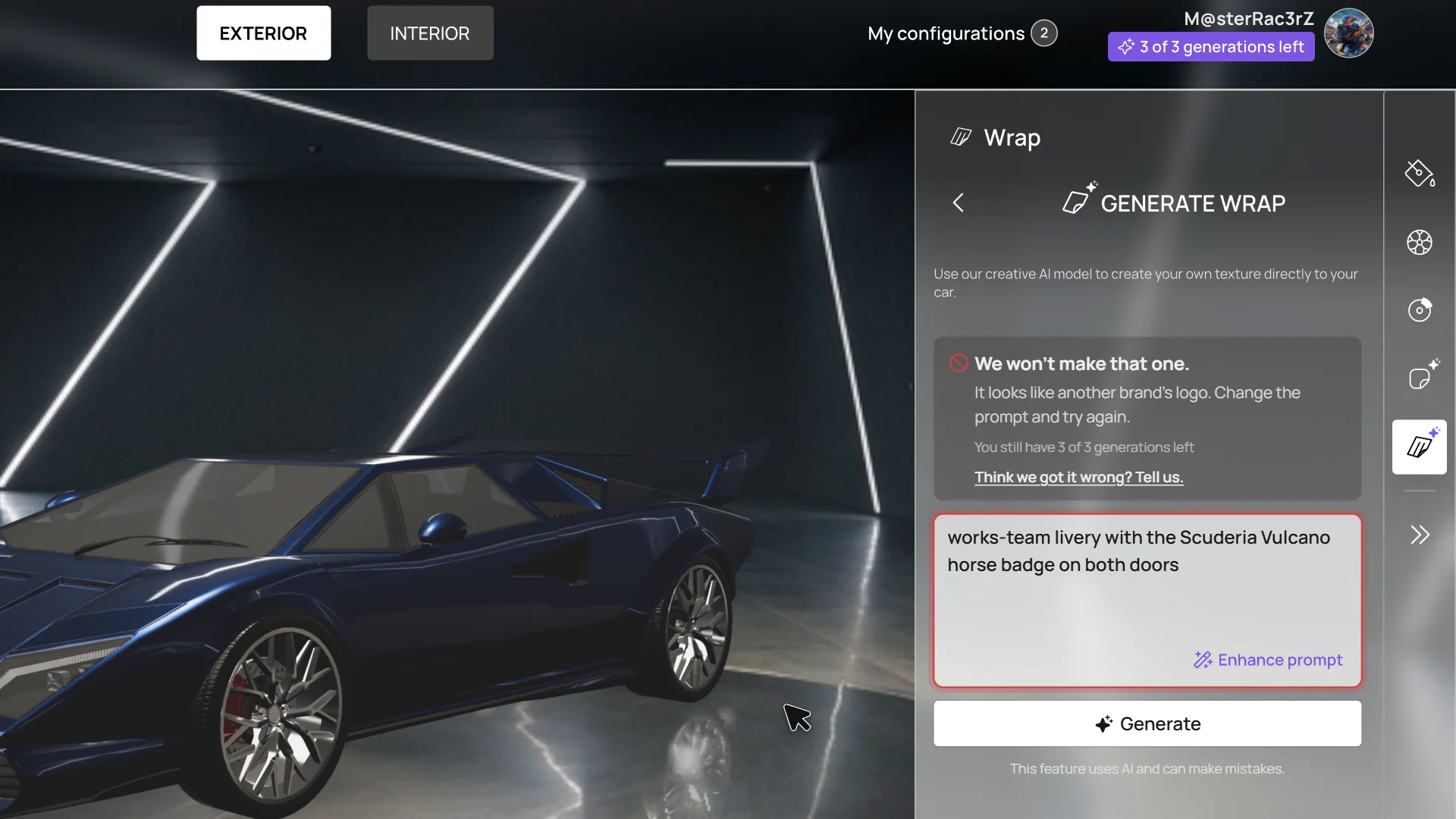
A refused prompt
Your prompt is checked before anything is generated. If it's refused, you keep your generation, and you can rewrite it or dispute it.
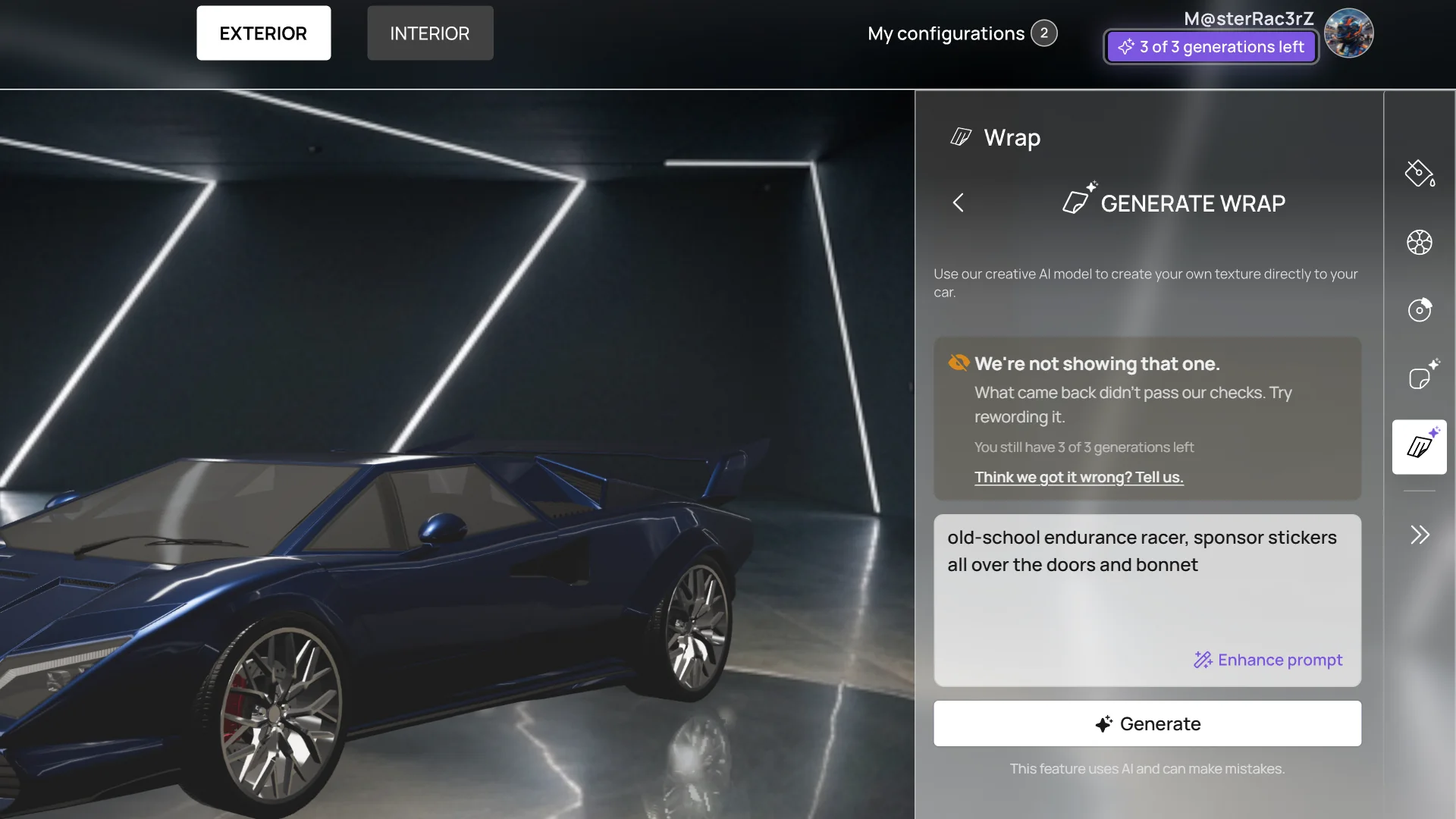
A blocked result
What comes back goes through the same checks. A blocked result is never shown, and it doesn’t touch your three generations.
A failed generation
Sometimes the model fails or times out. That's on us, so nothing is spent and you can try again.
The configurator is a website, so on a phone it lives inside the browser and can't go full screen. In landscape, the notch took one side, the address bar took the top and came back when it wanted, and any panel you opened covered the car.
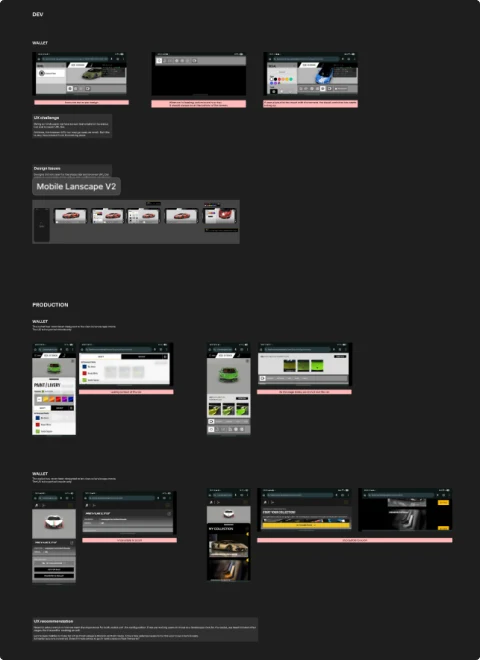
Everything around the configurator, from the website to the car library and the 3D garage, was designed in portrait. Turning the phone for one step and back for the next broke the journey. Staying in portrait also meant one layout to make fast, on phones that were already struggling with the 3D.
Landscape had one more problem: the keyboard. When you type a prompt, it covers most of the screen, so you can barely see what you're writing. In portrait there is still room for the prompt above the keyboard
Keeping the car visible as much as possible.
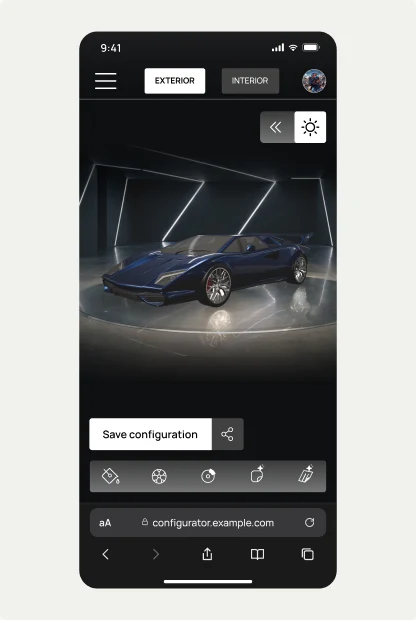
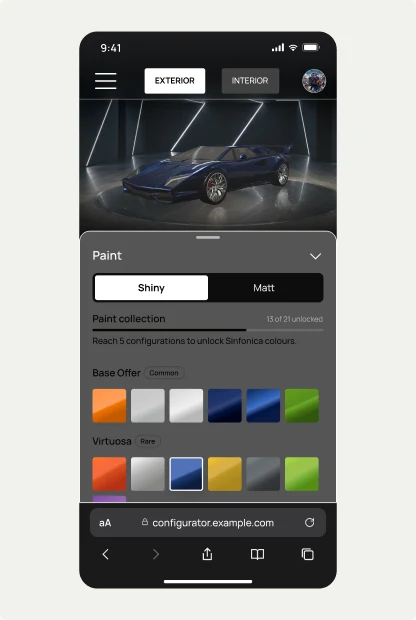
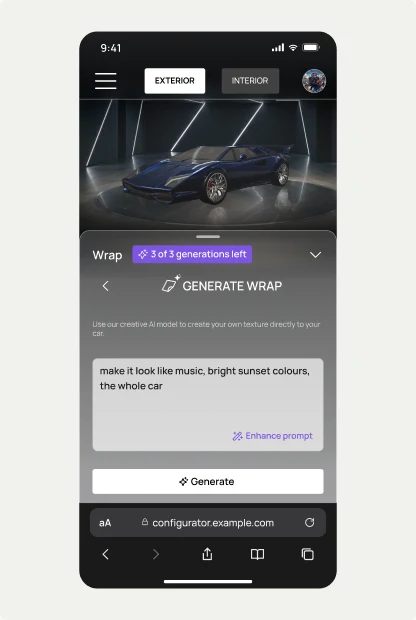
The phone version is simpler than desktop on purpose. There are no layers on the phone, so the AI does more of the work there.
It's still live, but nothing more is being built on it. When the web3 market slowed down, the brand cut back its activity there, and the plans that depended on it went too: saving configurations to a garage, minting them, and a paid membership that would have bought more generations.
Shipped
All three phases, desktop and mobile, the third with generative AI.
Reused
The studio that built it with me took it into its own offering, sells the livery generator to other brands, and pushed the generation further, into video.
The screens shown above are recreations. I changed the design language and layouts but kept a similar UX to the product that was shipped. I have used my AI Workflow to achieve those screens within a 20-hour time frame.
With Claude Code I built a small Three.js tool that loads a 3D model, sets the camera and the lighting, and exports a render, so every shot shows the same fictional car in the same room. The backgrounds were generated with Google AI Studio. The wrap on the hero shot was not generated: a script drew it straight onto the car's paint map.
You can download the three.js tool here.